
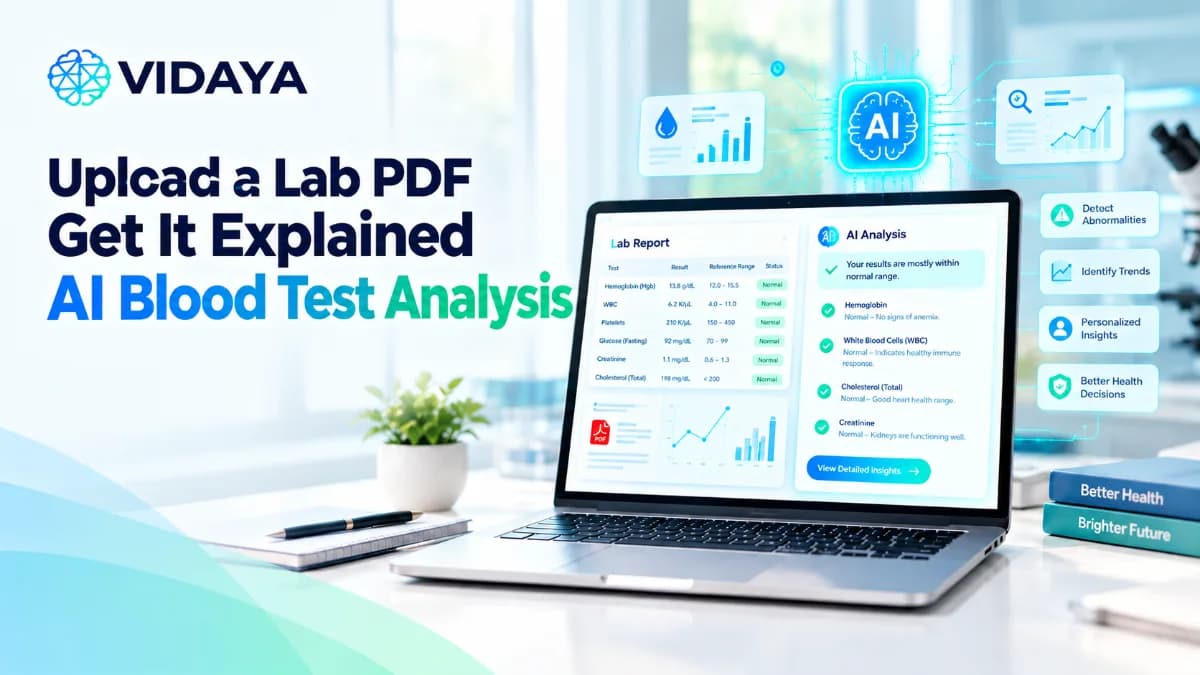
Upload a Lab PDF and Get It Explained: What AI Blood Test Analysis Does
The lab sends you a PDF. It has 40 lines of short codes, numbers and units. A few values have an H or an L next to them. Your doctor's visit is two weeks away. So you type "analyze my blood work" into a search bar, and you find a dozen tools that promise AI blood test analysis.
But what happens after you click upload? Is it magic? No. It is a short chain of plain steps that turns a messy file into a summary you can read in two minutes.
This article walks through that chain, one step at a time. If you want a primer on the markers themselves first, start with our guide to blood test results explained. This page is about the machine side: how blood work analysis online actually works, where it helps you, and where it stops.
What Happens When You Upload Your Lab PDF
There are five steps. Each one feeds the next. If one step is weak, the summary at the end is weak too.
Step 1: The PDF Is Parsed
Labs do not share one format. One report is a clean table. Another is a scanned page from a fax machine. A third splits one panel across three pages.
So the first job is to read the file. If the PDF holds real text, the software pulls it out directly. If it is a scan, it uses optical character recognition (OCR) to turn the image into text.
Then it finds the rows that matter. For each test, it looks for five things:
The test name, as the lab printed it
The value
The unit
The reference range the lab printed
The date the sample was collected
Everything else on the page, like the lab's address or billing codes, is ignored. This helps keep the extracted blood tests results organized for the next step.
Step 2: Each Marker Is Matched to a Standard Name
The same test can show up under many names. Four other names are for the ALT liver test, including SGPT and GPT. One lab prints "ALT". Another prints "SGPT". A person would see two different tests. They are the same one.
So each row is matched to one standard name. Units get the same care. Labs report results in different units of measure, such as micrograms per deciliter or micromoles per liter. The matching step keeps track of which unit each value came in.
This is where errors can creep in. A good tool shows you what it matched, so you can check it. Before you trust any summary, glance at the matched names. It takes ten seconds.
Step 3: Values Are Placed Against Ranges
Next, each value is placed against a range. The tool should use the range printed on your own report first. Labs often use different testing methods, so they often use different reference ranges. A range you find somewhere else may not apply to you.
The word "normal" can mislead. A result outside the range may or may not point to a problem. It is common for healthy people to sometimes land outside it. And a result inside the range is not a promise of good health.
So a flag is a starting point for a question. It is not a verdict. This is true for all blood tests, whether a person or software reads them.
Step 4: Values Are Compared With Your Earlier Results
This is the step most people skip when they read a PDF by hand. It is also where software helps the most.
One number is a snapshot. Three numbers over three years show a direction. Take HbA1c. The NIH's diabetes institute (NIDDK) says it reflects your average blood sugar over the past 3 months. A slow climb across several reports tells you more than any single report can.
There is a catch. Using the same lab when you look for trends, because results from different labs are hard to compare. So a careful tool marks the points where your lab changed. Vidaya puts each marker on a timeline, so you see the direction, not just the latest dot.
Step 5: The Summary Is Written From That Data
Only now does the language model write anything. It does not read your PDF and guess. It works from the clean, matched, dated data built in steps 1 to 4.
The summary covers four things:
What each marker measures, in plain words
Which values sit outside your lab's range
What changed since your last report
Questions worth bringing to your doctor
If something is unclear, you can ask Vaya Chat, the chat assistant inside Vidaya. For example: "What does ALT measure?" or "Why did my lab flag this?" Vaya Chat uses your own results as context, so the answer is about your numbers, not a textbook average.
What AI Blood Test Analysis Cannot Do
The steps above are useful. They also have hard limits. Any honest tool should tell you where they are.
It Cannot Give You a Diagnosis
A value outside a range is a data point. It is not a diagnosis. Lab tests alone do not give a full picture of your health. Your provider adds your physical exam, your health history, your family history and any imaging. That full picture is what leads to a diagnosis. Software only sees one slice of it.
It Does Not Replace Your Clinician
Vidaya helps you understand your data and spot patterns. Your doctor decides what those patterns mean for you. The best use of a summary is to walk into your visit with better questions. "My ferritin dropped three times in a row. Should we look at that?" is a much stronger start than "Are my results okay?"
It Does Not Know What You Have Not Told It
Software only knows what is in your file and what you enter. That gap matters more than people expect.
Here are common things that can change results: certain foods and drinks, medicines or supplements, hard exercise before the test, your menstrual period, and whether you fasted. If you ran a race the day before, or skipped the fast, the tool cannot know.
Supplements are a big one. The NIH Office of Dietary Supplements warns that very high biotin intake can interfere with some lab tests, such as thyroid hormone tests. That can produce falsely high or falsely low results. If you take a hair, skin and nail supplement and never mention it, no software will account for it.
The same goes for any condition you already have. If you have not entered it, the summary is written without it.
It Cannot Explain Every Symptom
Sometimes every line on the report sits inside the range, and you still feel tired, foggy or just not yourself. Blood tests measure a set list of things. They do not measure everything. A result inside the range is not always a guarantee of good health. We wrote a full guide on what to do next: Your labs are "normal", but you still feel off.
Where Your Lab Data Goes
A lab report is some of the most personal data you own. Before you upload it anywhere, you should know what happens to it.
Here is how Vidaya handles it:
HIPAA-aligned safeguards: We follow HIPAA-aligned safeguards for how your health data is stored and who can see it.
A signed Business Associate Agreement (BAA) with Google: The Google cloud services we use to store and process your data are covered by that agreement.
Your data is not used to train models: Your reports and your Vaya Chat messages are used to give you answers. They are not used to train AI models.
This is the main difference from pasting your results into a general chatbot. Those tools are built for a different job, and their data rules are set for that job. If you are weighing that option, read our breakdown first: Is ChatGPT safe for health data?
How to Get the Most From Blood Work Analysis Online
A few habits make the summary much more useful.
Upload your older reports too: Trends need history. Dig out the last two or three years of blood tests, not just this week's PDF.
Add your context: Enter your medicines, supplements and any known conditions. Note if you skipped a fast or exercised hard before the draw.
Check the matched names: Make sure each line from your PDF landed on the right marker.
Stick with one lab when you can: For tracking trends over time.
Bring the summary to your visit: Use the questions at the end as your agenda. Your doctor has the full picture. You now have better questions.
Make Sense of Your Next Blood Tests With Vidaya
Upload your lab PDF. Vidaya reads it, matches every marker, places each value against your lab's range and your past results, and writes a plain summary you can take to your doctor. Ask Vaya Chat anything along the way.
Vidaya costs $10 a month or $89 a year. There is no free plan, so you get the full app from day one.
Join Vidaya today and get every feature from day one. Upload your first lab PDF and see what it means→
Frequently Asked Questions
Recommended Reading
Hand-picked health intelligence connected to this topic.
Get notified of new posts
Join 100+ health-conscious readers. No spam, just new articles on longevity and optimization.